
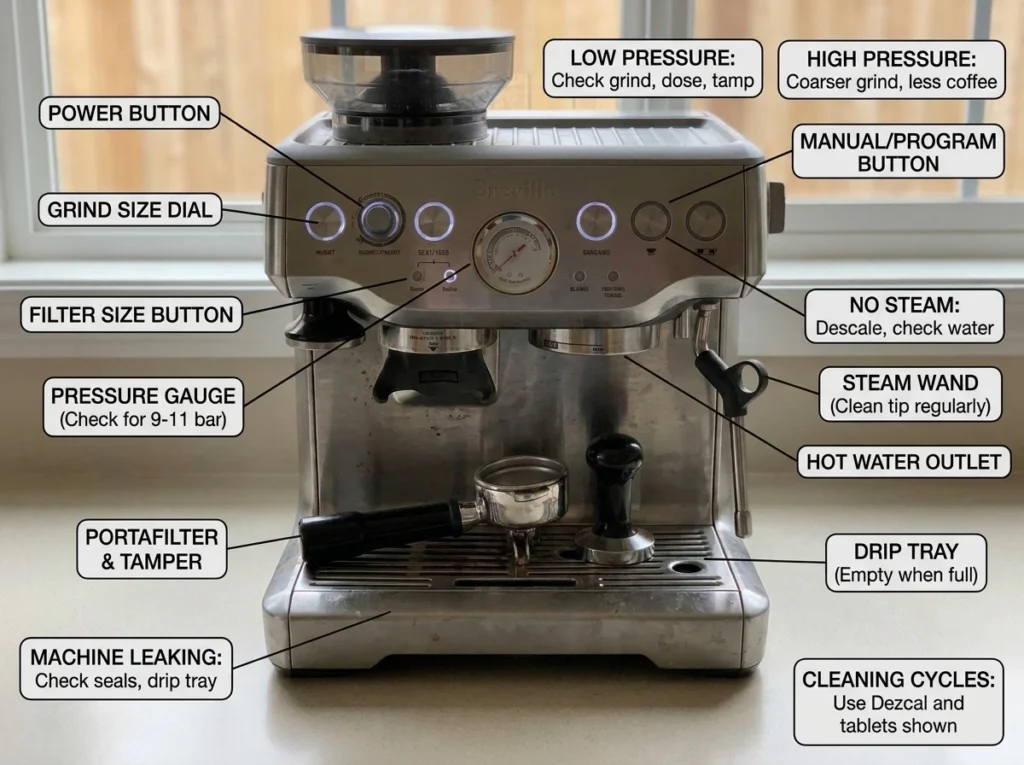
Disclosure: This is safe troubleshooting triage for the BES876, not a repair manual. Unplug before inspection, keep hands away from hot water and steam, and use the official manual for your regional model.
| Methodology and scope |
| This guide was checked against the current US Breville BES876 instruction manual. It covers owner-safe maintenance and troubleshooting, not internal repair. Where a step could not be confirmed in the manual, it recommends contacting Breville rather than guessing at an internal component failure. The draft is transparent desk research; add original observations and photographs only if you personally own or tested the machine. |
The source of truth for button sequences is the official US BES876 instruction manual. For general care, compare Breville’s official espresso-machine cleaning guidance. If you use a branded descaler, read the Urnex Dezcal safety data sheet before handling it.
Barista Express Impress Troubleshooting: 12 Common Problems
When the Barista Express Impress stops brewing, this Barista Express Impress troubleshooting guide helps you identify the symptom before changing grind size or pressing a random button combination. It covers the BES876 workflow: power, water, pump, espresso flow, pressure gauge, grinder, assisted tamping, steam, hot water, cleaning lights and service decisions. If you are comparing machines, see our best espresso machines for 2026.
Start with the triage table, then open the matching section. The official BES876 manual separates cleaning from descaling, so do not treat every flashing light as a descale request.
Quick triage table
| Symptom | First safe check | Stop and contact service when… |
| No power | Test outlet, cord and auto-off. | Electrical smell, heat at cord, liquid near plug or repeated power loss. |
| No water / loud pump | Refill and firmly reseat tank; test hot water. | No flow after checks or water leaks inside chassis. |
| Shot too fast/slow | Keep dose consistent; adjust grind one step. | Gauge remains abnormal after cleaning and dial-in. |
| Grinder will not start | Lock hopper, add beans, position portafilter. | Motor clicks, smells hot or jams again. |
| Weak steam | Fill tank, wait for steam-ready, purge wand. | Steam escapes a wrong joint or hardware is damaged. |
Before you troubleshoot
Move the machine to a dry, well-lit surface. Let the group head, portafilter, steam wand and hot-water outlet cool before touching them. Keep the tank seated, use the correct basket, and never open the case. For a beginner refresher, use our how to use an espresso machine guide; for recurring care, use the maintenance and mods library.
1. The machine will not turn on
For Barista Express Impress troubleshooting, press POWER once, confirm the outlet works with another appliance, inspect the cord without repairing it, and allow normal cooling or auto-off behavior. Do not repeatedly cycle a hot, wet machine. If POWER remains unresponsive, the safe fix is an outlet/cord check and authorized service—not a case opening.
2. No water, weak flow or a loud pump
For Barista Express Impress troubleshooting, confirm the water is above MIN, then fully reseat the tank. Test hot water, then run a water-only group-head rinse without the portafilter. If hot water works but group-head water does not, inspect the accessible coffee path and cleaning status. If neither water path works, stop repeated pumping and contact support. Breville states the machine will not operate when the tank is below its MIN marking.
3. Espresso flows too fast, too slowly or tastes unbalanced
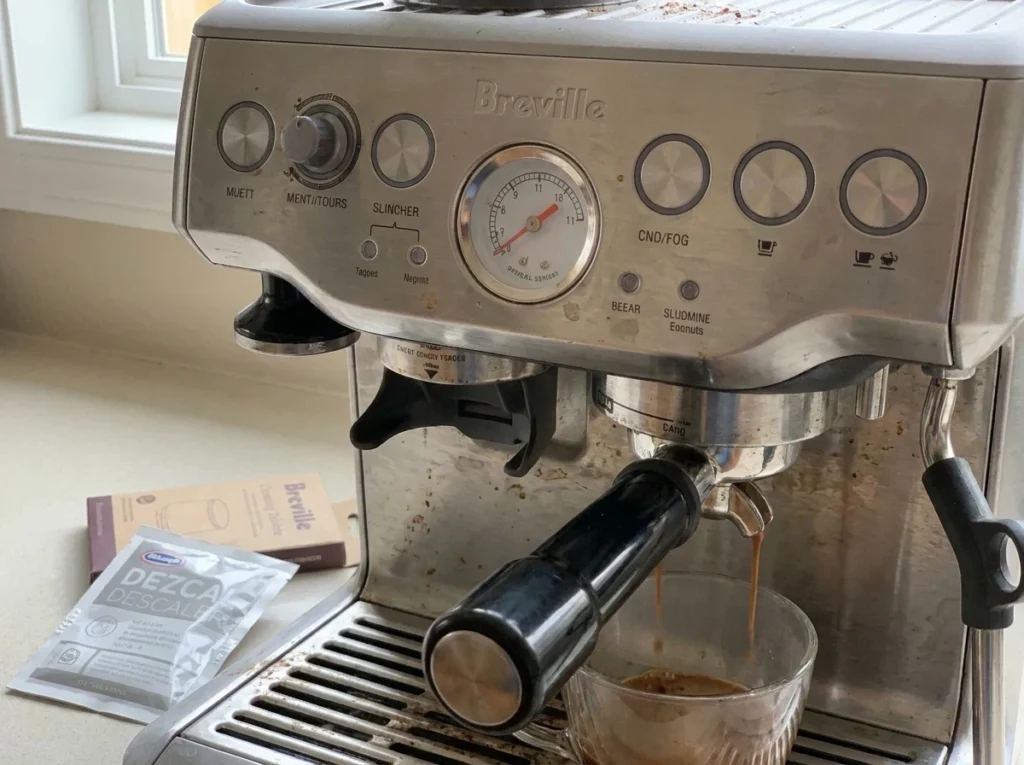
For Barista Express Impress troubleshooting, change one variable at a time. If the shot starts before approximately seven seconds and runs quickly with low pressure, the grind may be too coarse or the dose too low. If it drips without flowing after approximately 12 seconds, the grind may be too fine or the dose too high. Keep fresh beans, a clean basket, an even dose and level tamp in the equation; the gauge is a clue, not a promise of one exact mark.
4. The built-in grinder will not start or stops early
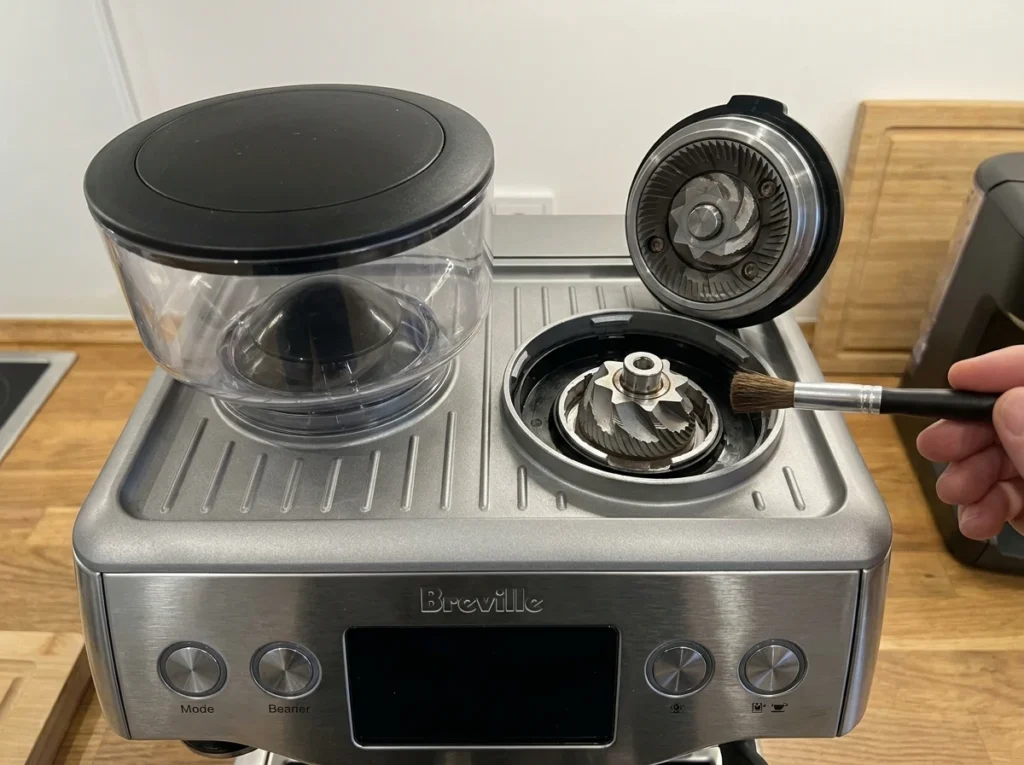
For Barista Express Impress troubleshooting, lock the hopper, add beans and confirm portafilter position. If the motor hums, switch off and unplug before clearing only the accessible burr area according to the manual. Do not force objects through burrs. After a jam, purge a small dose and check consistency. A hot smell, thermal cut-out or clicking motor needs service.
5. The assisted tamp or dose indicator is wrong
For Barista Express Impress troubleshooting, keep the same basket and fully insert the portafilter. If “A Bit More” flashes, press DOSE to add grounds, then tamp again for a new reading. If the dose is high, remove the portafilter and use the Razor tool to level it. The Impress uses the reading to adjust the next automatic dose, so do not change grind, bean and dose settings simultaneously.
6. Steam is weak, wet or not texturing milk
For Barista Express Impress troubleshooting, fill the tank, wait for steam-ready, purge condensation and texture with the tip just below the milk surface. If the tip is blocked, switch the machine off and let the wand cool. Clear the holes with the supplied cleaning pin; if it remains blocked, remove the tip with the cleaning tool, soak it in hot water, clear it again, rinse and reinstall it. A full tank and clean tip with no steam can indicate a valve or heating fault.
7. Hot water works but espresso does not
For Barista Express Impress troubleshooting, run a water-only rinse with the portafilter removed. Check basket, group-screen cleanliness and puck. If water still cannot pass through the group, stop rather than increasing pump time. If hot water and espresso both fail, return to the tank and air-in-path checks.
8. The clean light is on
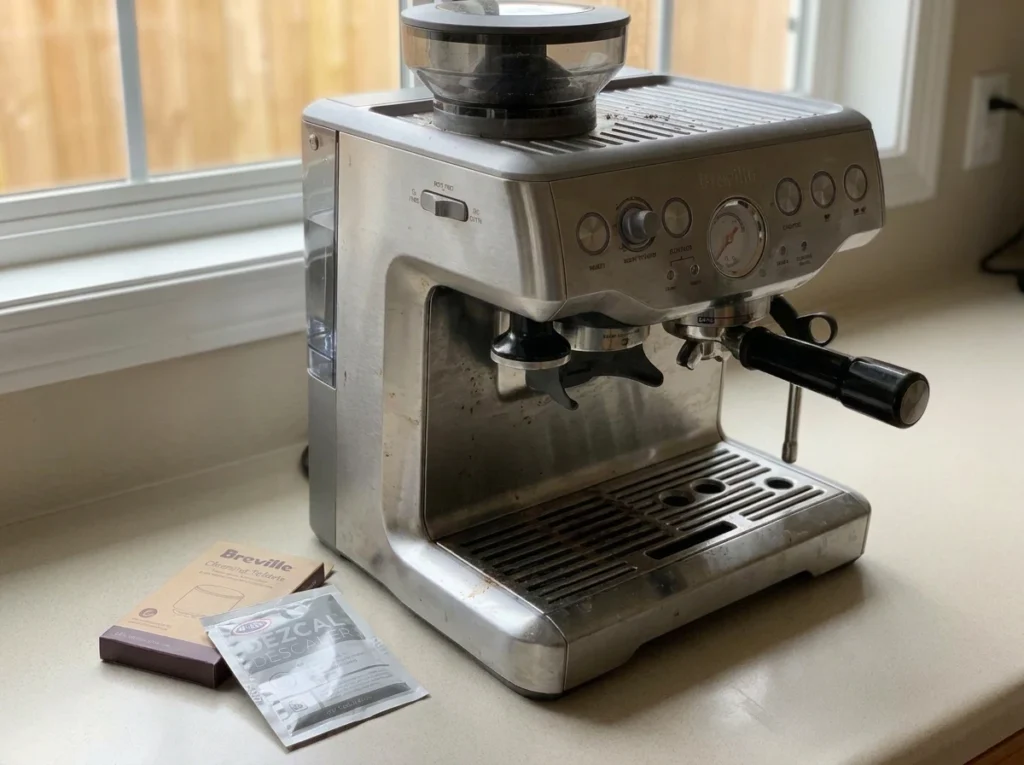
For Barista Express Impress troubleshooting, remember that cleaning and descaling are different. For the BES876 cleaning cycle, with the machine off, hold 1 CUP + 2 CUP + POWER for about three seconds and follow the tablet, filter disk and rinse instructions. Do not substitute descale powder. Use our clean and descale Breville Barista Express Impress guide
9. The descale light is on
For Barista Express Impress troubleshooting, remove the water filter, dissolve one approved descaling sachet in 4 cups (34 fl oz / 1 L) of water, and—with the machine off—hold 2 CUP + POWER for about five seconds to enter descale mode. Complete the coffee, steam, hot-water and fresh-water rinse stages in the BES876 manual. Do not improvise with vinegar or leave solution in the tank.
10. Flashing lights or warning-light behavior
These signals are documented for the BES876. Use the exact light pattern before trying a maintenance cycle.
| Light or behavior | Official meaning | First action |
| FILTER lights alternate between 1-cup and 2-cup | Hopper is not locked correctly | Reinsert and lock the hopper. |
| DOSE and dose-level lights flash red; three beeps | Low or empty bean hopper | Add beans. |
| Three beeps and grinding pauses | Tamp lever is not in home position | Return the lever fully upward. |
| DOSE button flashes “A Bit More” | Dose is too low | Press DOSE, add grounds and tamp again. |
| CLEAN/DESCALE light flashes | Cleaning/backflush cycle required | Run the cleaning cycle. |
| CLEAN/DESCALE light stays solid | Descaling required | Run the complete descale cycle. |
If the pattern does not match this table, record the lights, beeps and current operation, then check the official BES876 instruction manual rather than copying an error-code list from another Breville model.
11. Drip tray fills quickly or water appears under the machine
For Barista Express Impress troubleshooting, empty and reseat the drip tray, check the float, tank seal and hot-water outlet. Some tray water is normal after brewing or cleaning. Water under the chassis, a cracked tank, or a leak that grows while the pump is off is not a dialing-in issue; unplug and arrange service.
12. The machine still does not behave normally
For Barista Express Impress troubleshooting, stop changing settings. Record model number, purchase date, water type, beans, light pattern and a short video. Use Breville support or an authorized service center for electrical smells, internal leaks, damaged steam hardware, repeated thermal cut-outs, a seized grinder, or a cycle that cannot finish.
After grinder maintenance, follow our Barista Express Impress grinder-cleaning guide and redial the shot. For buying context, see our Barista Express Impress review, espresso machines category, and best espresso grinders of 2026.
Conclusion: troubleshoot one variable at a time
The safest Barista Express Impress troubleshooting sequence is simple: confirm water and power, identify the exact light or symptom, make one owner-safe change, and stop when the evidence points to service. Keep the BES876 manual beside the machine, use the model-specific cleaning and descale controls, and document any repeat fault for Breville support.
A practical decision tree for Barista Express Impress troubleshooting
Use this decision tree when the symptom is unclear. This Barista Express Impress troubleshooting method starts with the least invasive check and escalates only when the evidence points to a hardware fault. It keeps you from changing three variables at once and losing the original clue.
- Is the machine powered and free of electrical or water hazards? If no, unplug it and arrange service.
- Is the tank full and seated? If no, correct it before testing the pump, group or steam wand.
- Does hot water flow? If yes, compare the hot-water path with the coffee path; if no, stop repeated pumping.
- Does the grinder dose consistently? If no, lock the hopper, check beans and clean only the accessible burr area.
- Does a water-only group rinse flow? If no, investigate cleaning and service rather than forcing a shot.
- Did one small grind or dose change correct the shot? If yes, document the setting; if no, stop chasing the gauge.
What not to do when troubleshooting
Do not use a button combination copied from the original Barista Express, Bambino, Barista Touch or another regional manual. The Impress has its own assisted-tamping and maintenance workflow. Do not remove the case, bypass a thermal cut-out, probe a live appliance, or keep a pump running against an empty tank. Do not mix descaler with detergent, use household acids without approval, or leave a chemical solution sitting overnight. Do not grind foreign objects, scrape burrs with metal, or force a stuck hopper.
A careful Barista Express Impress troubleshooting session is repeatable: write down the starting symptom, make one safe change, test once, and record the result. That makes support faster and protects the machine from accidental over-correction. If the symptom moves from water flow to a leak, electrical smell, damaged wand or repeated thermal cut-out, stop troubleshooting and escalate.
Preventive checks that reduce repeat problems
Empty the drip tray before the float blocks it, wipe and purge the steam wand after every milk drink, and keep the hopper lid and grinder area dry. Rinse the group path after brewing and keep the basket holes clear. Use the water type recommended by the BES876 manual rather than assuming bottled, distilled or highly filtered water is always best. Track the date of the last cleaning cycle and descale so a warning light is not a surprise.
Once a week, inspect the tank seal, hopper lock, portafilter rim and steam-tip holes. Once a month, review dose consistency and grinder retention. When you change beans, purge enough old coffee to avoid diagnosing stale grounds as a machine fault. This routine turns Barista Express Impress troubleshooting into a quick check instead of an emergency.
Evidence notes for editors — do not publish
The model-specific claims in this draft are deliberately narrow: the BES876 cleaning combination is 1 CUP + 2 CUP + POWER for about three seconds; the descale entry combination is 2 CUP + POWER for about five seconds; the descale mixture is one sachet in 4 cups / 34 fl oz / 1 L water. Keep those details tied to the manual link and update them if Breville publishes a regional revision. Avoid adding unsupported pump-life, “always 9 bar,” vinegar-warranty or universal error-code claims.
Frequently asked questions
Reseat and refill the tank, check the hot-water path, and avoid running the pump dry. If neither path flows or the machine leaks internally, unplug it and contact service.
Check hopper lock, beans and portafilter position. Unplug before clearing accessible burrs. A hot smell, repeated stoppage or seized motor needs service.
It requests the separate cleaning/backflush cycle. Use the BES876 sequence and tablet instructions; it is not automatically a descale command.
Remove the filter, mix approved powder as the BES876 manual specifies, enter descale mode with the documented controls, complete all stages and rinse with fresh water.
Check dose, grind, basket seal, fresh beans and water flow one variable at a time. Persistent abnormal readings can require service.
Do not assume vinegar is approved. Follow Breville model-specific instructions and an approved descaler.
Wait for steam readiness, purge condensation, clean the tip and use correct tip depth. A damaged valve or wand is a service issue.
No. It is written for Barista Express Impress/BES876; other models can use different controls and light meanings.

Share your coffee experience
Have you tried this product? Add a thoughtful review or ask a question.